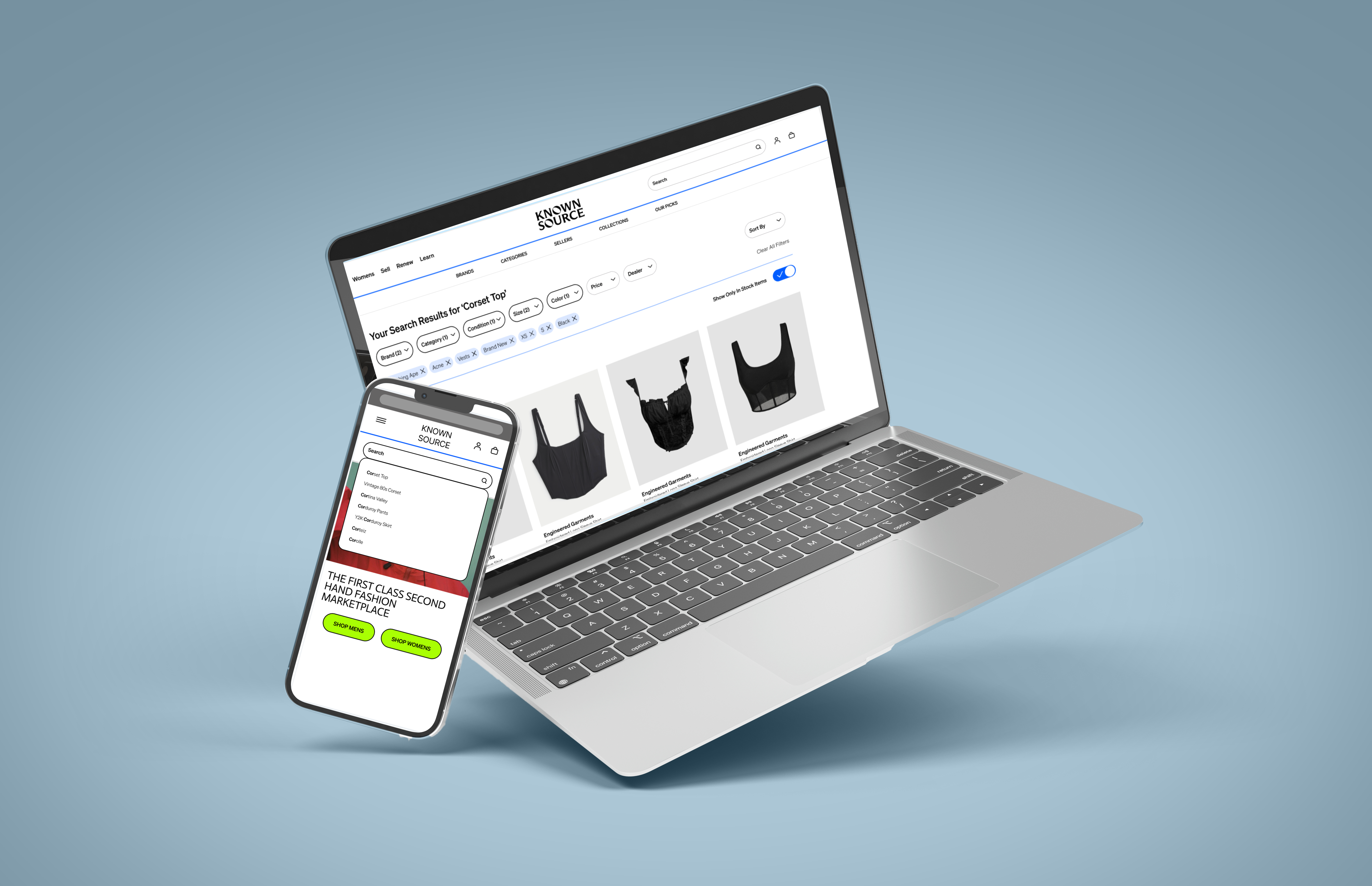
People knew exactly what they wanted, but the interface made it almost impossible to find.
Known Source's buyers usually know exactly what they're looking for, a vintage Chanel blazer in size 6, a Bottega bag in one specific colorway. They're not browsing. The problem was never inventory, it was that the interface couldn't keep up with what people already knew they wanted.
I don't even know what I'm filtering by at this point. I just want to see the Chanel section. Why does it make me scroll through everything first?Participant 03, usability session

Current-state journey map. The filter system at step three accounted for 55% of observed abandonments.
I ran six sessions, and every participant hit the same three walls.
I ran moderated usability tests with six resale buyers, ages 22 to 38, in forty-minute sessions. Each person had one task: find a specific item and apply three filters they'd actually use before buying something. I coded the recordings afterward with thematic analysis.
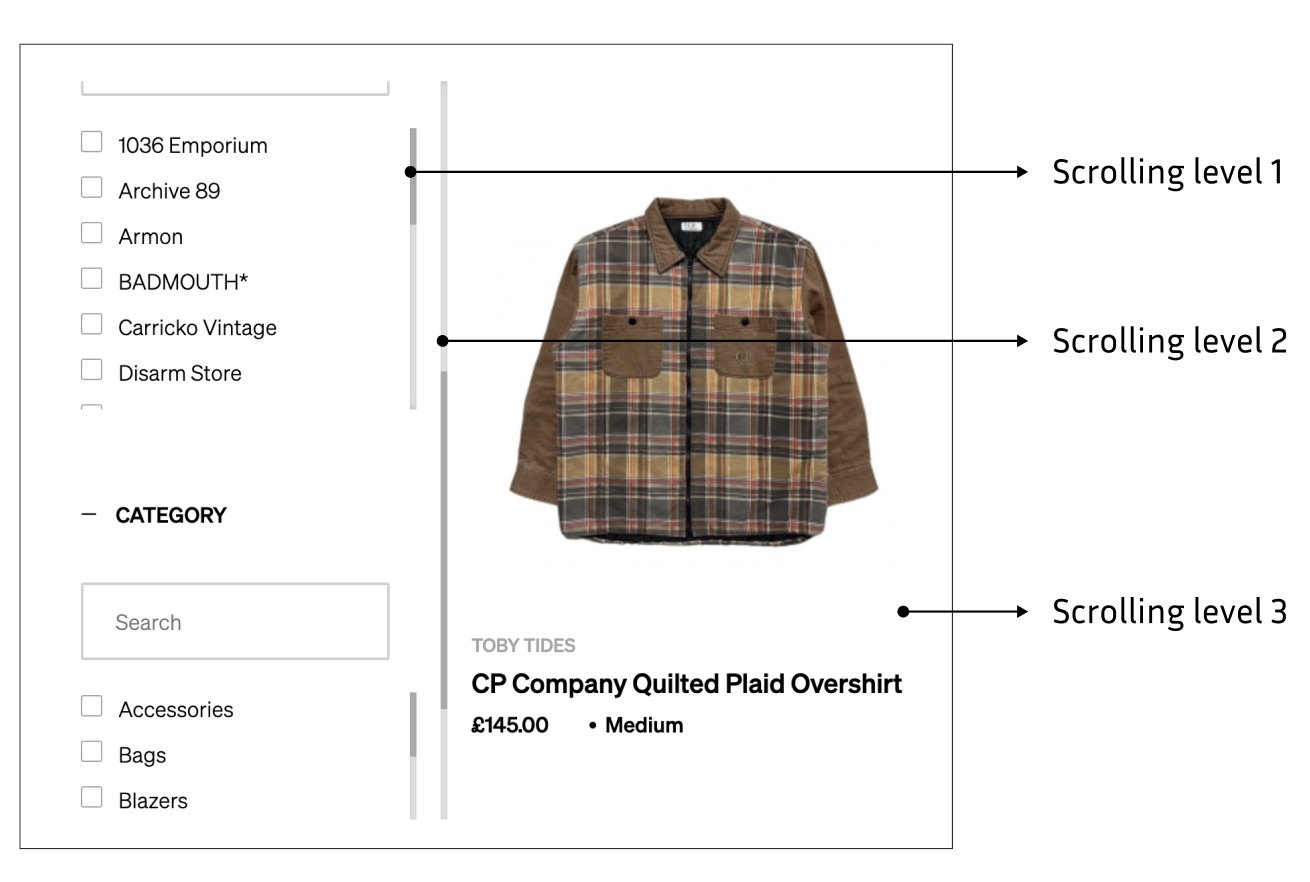
Research synthesis: three failure categories drove virtually all observed friction.
Filter complexity
The filters people used most were buried behind ones they rarely touched. People gave up before reaching the one they actually wanted.
No filter memory
Filters cleared the moment you hit back. People had to restart their whole search every time they opened a product page.
55% abandonment
The filter step was where the most people dropped off, by far, out of the entire flow.
Research workflow
I found six violations the team hadn't caught just by watching people use it.
I ran a full WCAG 2.1 audit on the existing mobile experience. A lot of the friction people described out loud actually had a technical cause behind it, and the audit is what made that impossible to argue with.
Every goal here maps back to something specific from the research.
Speed for frequent filters
Brand and size are one tap away from the results screen. No modal needed.
Persist filter state
Filters stay active through back-navigation and stay visible as you scroll.
WCAG 2.1 AA throughout
44px targets, 4.5:1 contrast, correct focus management, semantic structure everywhere.
I tested three filter variants, and a hybrid won.
Full-screen modal
It covered everything, but you had to fully leave the page just to filter. People called it heavy.
Horizontal pill row
Fast for the common filters, but there was no room for anything more complex.
Hybrid: pills plus drawer
Common filters live as pills that stay on screen. Advanced filters live in a bottom sheet. You get both speeds without ever leaving the page.
Users needed speed for common filters and depth for advanced ones. The hybrid gave both without requiring them to switch mental modes.
Iteration workflow
Every decision in the final design maps back to a finding
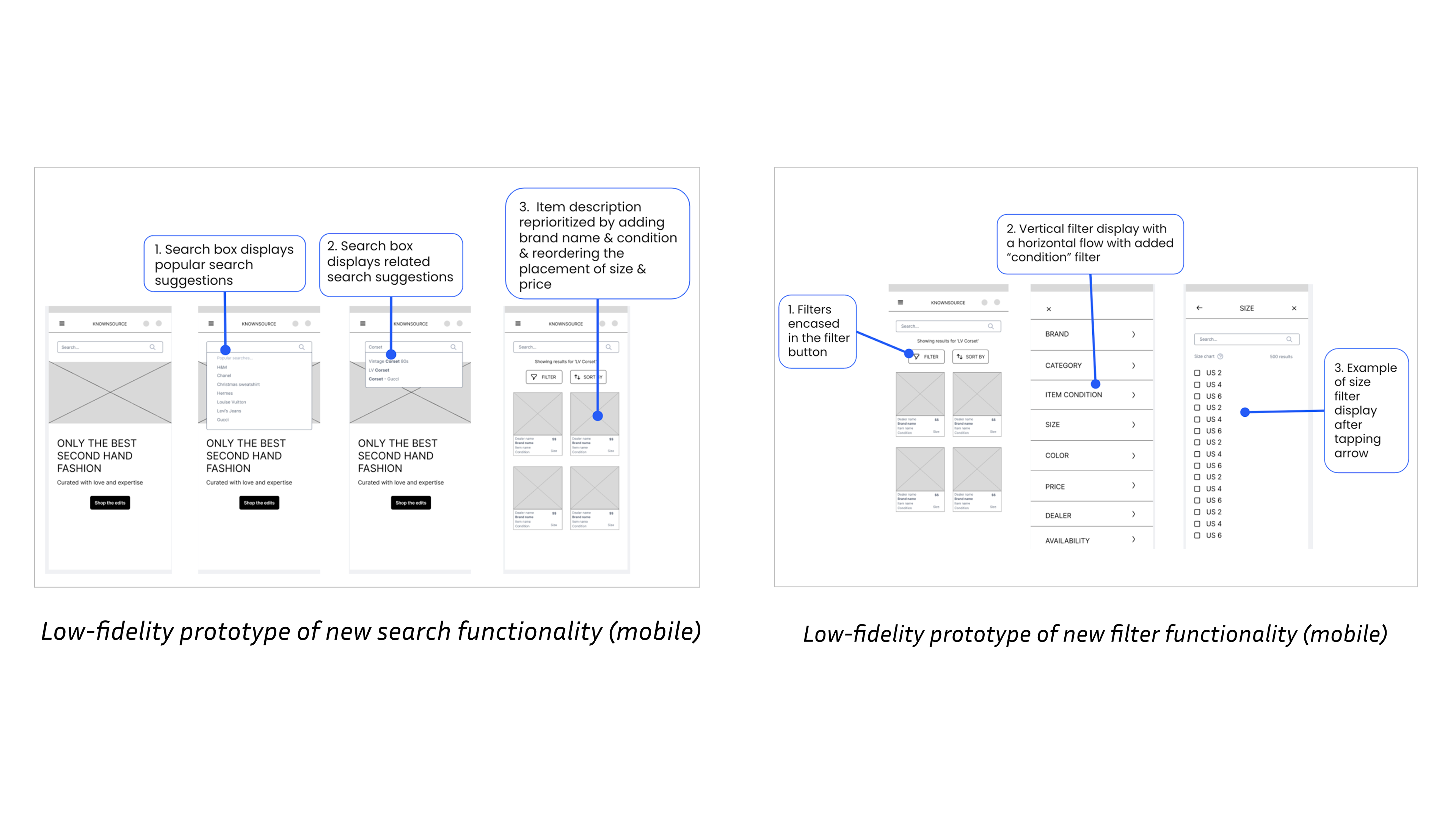
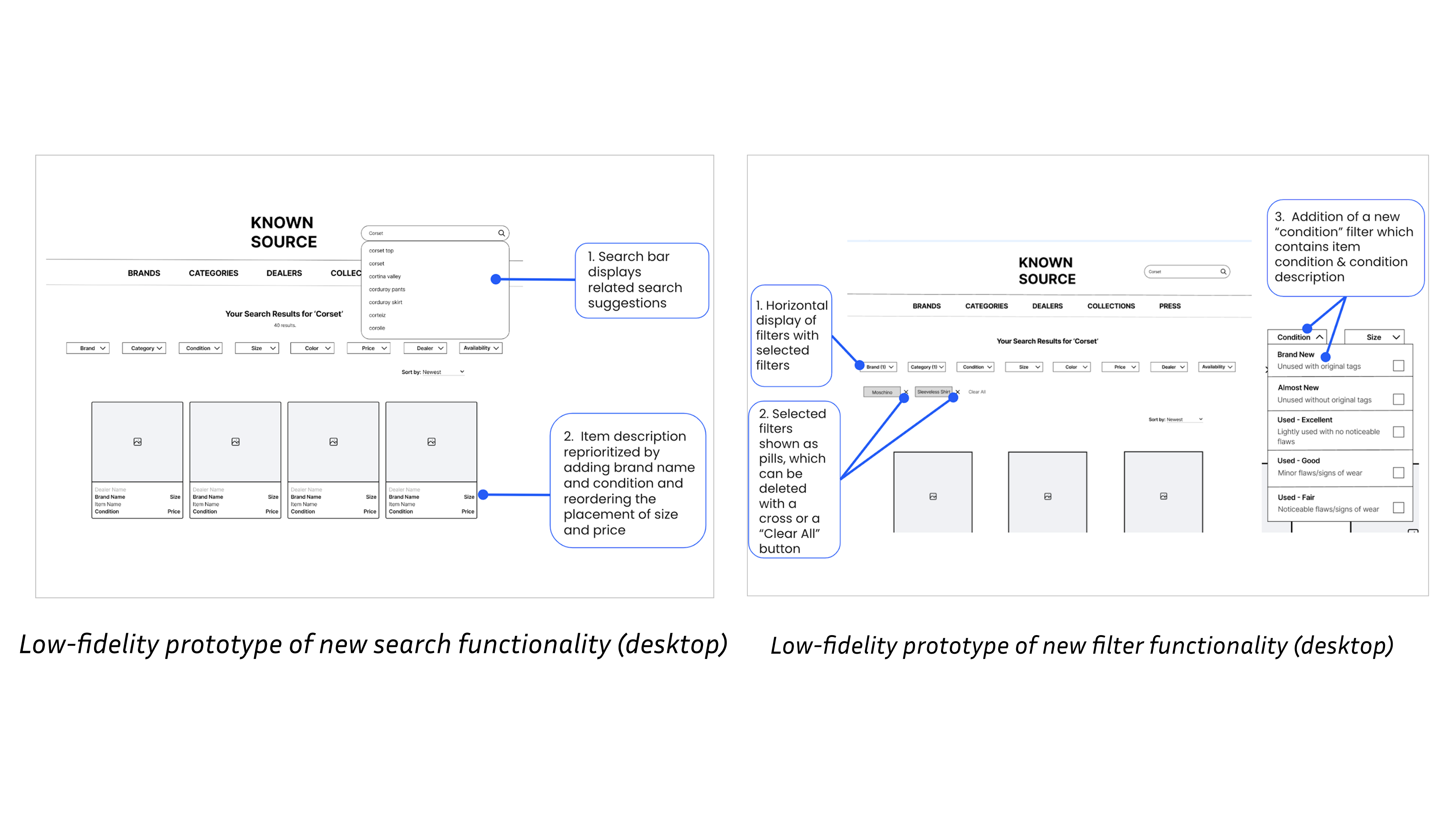
Lo-fi wireframe iterations, three filter patterns tested before committing to the hybrid.

High-fidelity screens: hybrid filter with persistent pills, bottom sheet, WCAG-compliant throughout.
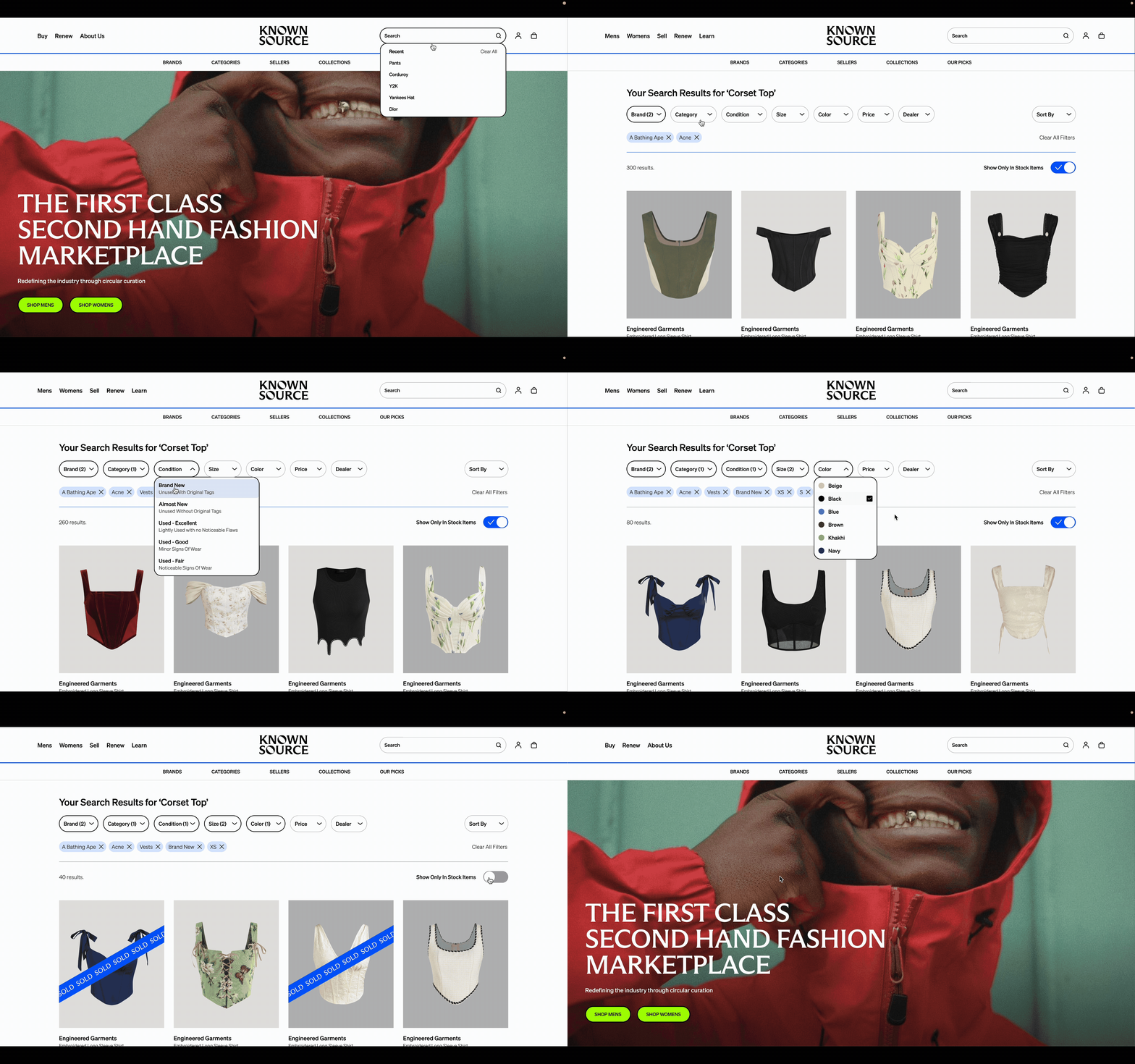
Prototype walkthrough: the redesigned mobile search and filter experience end to end.
I ran the same task with the same six users, before and after.
I ran comparative usability tests, the same task on both the original and redesigned prototypes, with the order swapped between participants so learning effects wouldn't skew the results. The task: search for a corset top and apply three filters you'd actually use before buying it.
60% faster
How much faster people finished the task, measured against the original prototype.
167% clearer
How much clearer people found the filter state, the second biggest problem from the research, now solved.
Doing the research first is what separates changes that actually land from changes that don't. Every improvement here came from watching real people struggle with a real problem, not from guessing what might help.